CAN templates built for your hardware
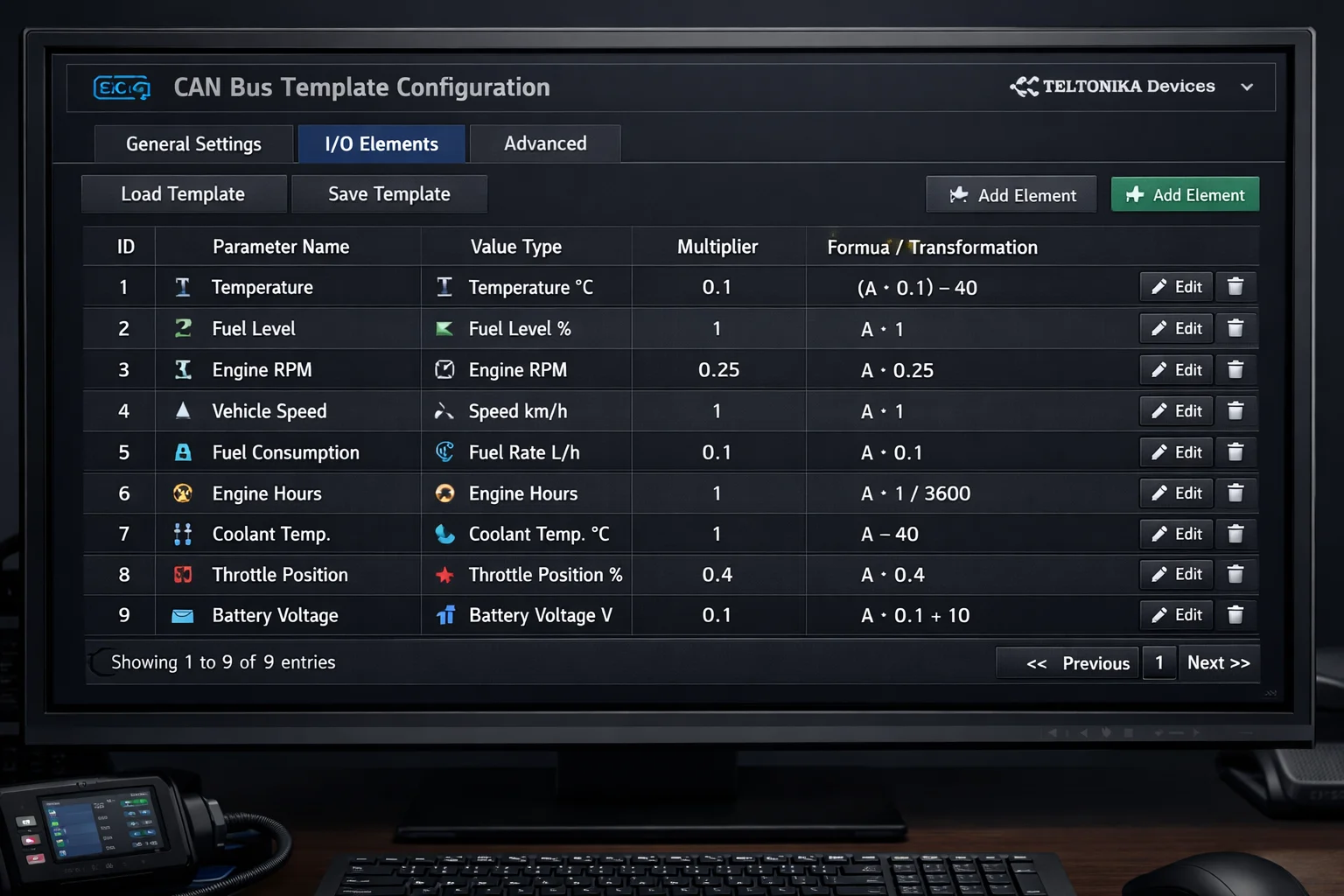
Manually configure CAN bus templates for your specific Teltonika device models — including FTC305 and TFT100. Each template supports 20+ configurable IO elements with value transformations: multiplier, offset, boolean mapping, and formula-based calculations.
- Manual CAN template configuration per device model
- Support for FTC305, TFT100, and custom templates
- 20+ configurable IO elements per template
- Value transforms: multiplier, offset, boolean, formula
Raw telemetry, decoded your way
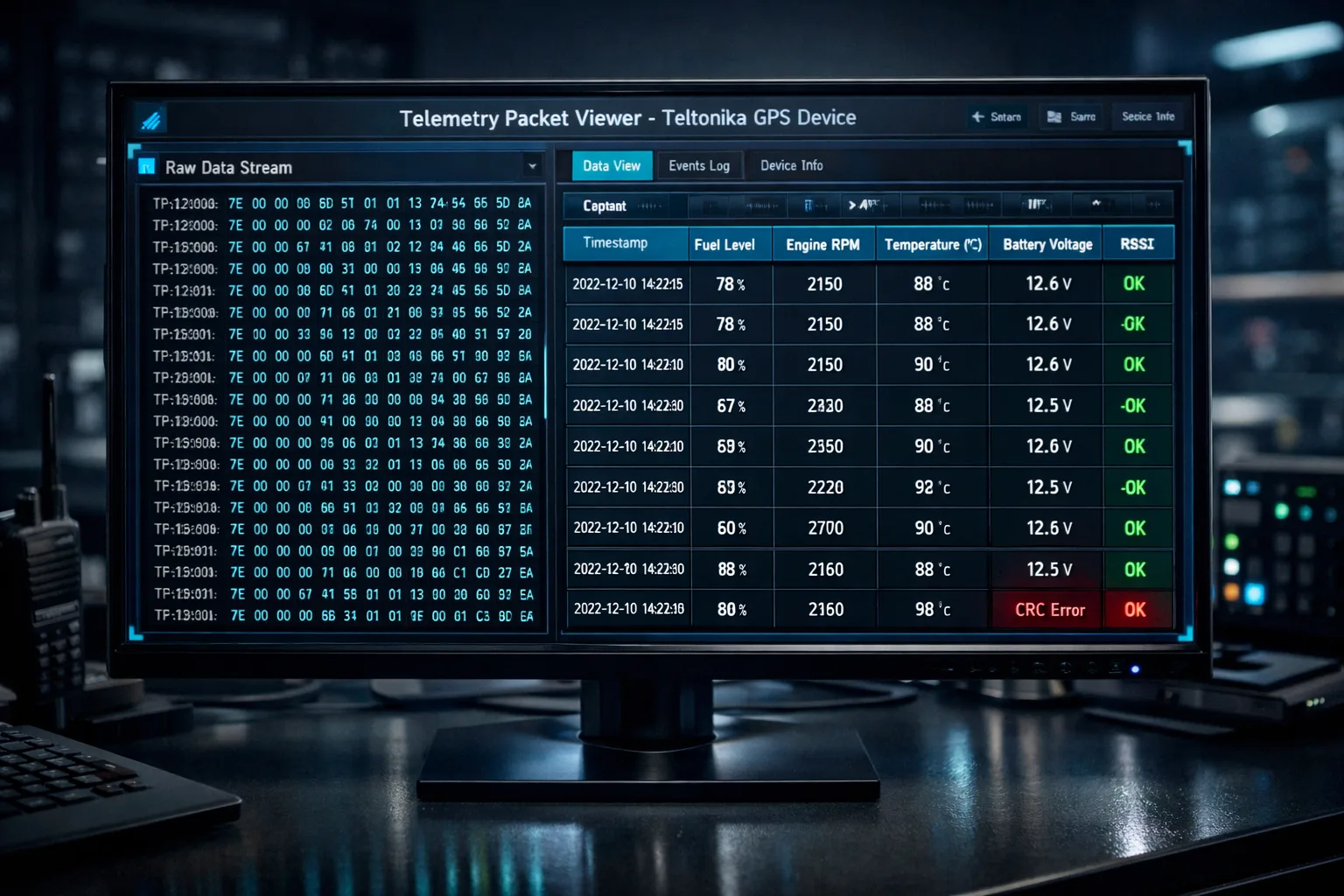
A configurable IO parameter registry lets you define parse strategies, display formatting, and unit labels for every telemetry channel. The raw packet viewer shows live and historical data frames directly from the device — giving advanced operators full transparency.
- Configurable IO parameter registry with parse strategies
- Custom display formatting and unit labels per parameter
- Raw packet viewer with live and historical data frames
- Full telemetry history for Teltonika telematics devices
Frequently asked questions
What is CAN bus data?
Data read directly from the vehicle's CAN bus, giving information beyond the basic GPS position.
What is the IO parameter registry?
A configurable list that maps the raw IO values your devices send to readable parameters.
Can I inspect the raw data?
Yes. A raw packet viewer shows exactly what each device sent, and manual CAN templates cover special cases.
What can CAN bus tell me beyond GPS?
Vehicle and engine parameters read from the vehicle itself. Which values are available depends on the vehicle and the device.
Does every vehicle provide CAN bus data?
No. Availability depends on the make, the model and how the device is connected.
What is a manual CAN template?
A template you define to decode CAN data that is not covered by the standard parameters.
Industry solution: Enterprise